Auvik review: honest take on the network monitoring tool MSPs actually use (2026)

TL;DR
Auvik is the network monitoring tool most MSPs should be running. Automated discovery, real-time topology maps, and 64+ out-of-the-box alerts that actually fire before your clients call - the core value prop delivers. The 15-minute client onboarding isn't marketing; multiple MSPs confirm it. Pricing is opaque (you have to call sales), and there's no published per-device rate, which is annoying but not unusual at this tier. The honest verdict: if you're still manually mapping networks or running legacy tools like SolarWinds or Nagios, Auvik is a clear upgrade. Where it stops short - and where most MSPs eventually discover the gap - is on the ticket side. Auvik tells you something went wrong; your team still has to log in and fix it. That's a separate problem.
What is Auvik?
Auvik is a cloud-based network monitoring and management platform built specifically for MSPs and enterprise IT teams. You deploy a lightweight collector on each client network - it discovers every device with an IP address within 30 minutes, builds a live topology map, and starts firing alerts from a library of 64+ preconfigured rules. No manual network documentation, no spreadsheets, no wire tracing.
More than 80,000 IT professionals trust it across 3,000+ MSPs. It picked up MSP Today Product of the Year in 2025. On Capterra it holds a 4.7-star rating.
We went deep on Auvik's actual feature set, its MSP-specific architecture, pricing model, and what real users across PeerSpot and industry forums say about it day-to-day.
How Auvik discovers and maps your network
The core loop is this: you install an Auvik collector (available as an OVA, bash script, Windows service, or Docker container - takes a few minutes), and Auvik does the rest. It scans using CDP, LLDP, SNMP, REST APIs, NetFlow, and vendor-specific protocols across 700+ vendors and 15,000+ device types. Within 30 minutes, you have a live topology map showing Layer 1 through Layer 3 connections.

The map updates in real time as the network changes - devices added, interfaces going down, VLANs reconfigured. You can toggle between physical topology, VLAN view, and clustered views. Click any device and you get health status, performance metrics, logs, and configuration details without leaving the map.
Brandon Timmons, Network Administrator at the City of Fort Smith, put it well:
"In less than 30 minutes, we were already scanning our network and had more information built out than the product that we had been using for years."
Source: PeerSpot
The multi-collector support is a practical win for MSPs. You deploy unlimited free collectors - one per client site or shared across sites - and manage all of them from one dashboard. No per-collector licensing, no complexity tax for adding a new client.
Monitoring, alerting, and the AI layer
Once the topology is mapped, Auvik monitors continuously. The 64+ preconfigured alerts cover hardware failures, latency spikes, configuration changes, bandwidth anomalies, and more - deployed out of the box with no tuning required. You can customize thresholds and build custom rules, but for most MSPs, the defaults cover the meaningful cases.
What's changed since Auvik's earlier versions: they've added AI-powered troubleshooting and root cause analysis. The system now analyzes network data to identify likely root causes, guides the next investigation steps, and recommends remediation commands - including vendor-specific CLI syntax so junior techs don't have to dig through forums for the right command.
Jeremy Campbell, IT Manager at Seyer Industries, on the operational impact:
"Auvik allows us to get on top of issues before they become an outage… it speeds up the remediation time for network issues by about 25% to 50%."
Source: PeerSpot
Auvik also now includes hardware lifecycle intelligence: AI-powered analytics flag aging hardware, identify critical lifecycle dates across vendors, and alert on security vulnerabilities - so you can proactively plan refreshes instead of reacting to failures.
Multi-tenant architecture - the MSP-specific layer
Everything above is table stakes for a modern monitoring tool. What makes Auvik specifically good for MSPs is the multi-tenant architecture underneath.
Every client network is isolated - each client sees only their own data, and you manage all of them from one dashboard without separate instances or logins. You can apply MSP-level alerting rules that cascade to all client networks, then override on a per-client basis. Role-based access control lets you scope what individual technicians can see and do, with presets you can customize.
The integration with PSA platforms matters here too. Auvik connects natively with ConnectWise Manage, Autotask, Halo PSA, and ServiceNow - meaning an Auvik alert can auto-create a ticket in your PSA without anyone having to manually copy information across. It also connects to IT Glue and Hudu for documentation, PagerDuty and OpsGenie for escalation, and Slack and Teams for notification routing.
James Grant, Systems Engineer at a tech services company, on the team impact:
"We have empowered our entry-level technicians to resolve more tickets independently."
Source: PeerSpot
That quote captures something real about Auvik's accessibility. The visual topology and guided troubleshooting means junior techs can diagnose network issues without a senior engineer looking over their shoulder. That has a real cost-of-service implication for MSPs.
Auvik pricing - the honest breakdown
Here's where it gets less straightforward.
Auvik doesn't publish pricing. Their pricing page says: "Competitors and AI tools show the wrong prices. Get accurate pricing directly from Auvik." You fill out a form, talk to sales, and get a custom quote based on device count, organization size, and configuration.
The pricing model is per-device, per billing period. Billable devices are routers, switches, firewalls, servers, and edge devices. Not everything counts toward your bill:

| Device type | Billable? |
|---|---|
| Routers | Yes |
| Switches | Yes |
| Firewalls | Yes |
| Servers | Yes |
| Edge devices | Yes |
| Wireless access points | No - monitored free |
| Printers | No - monitored free |
| UPS / battery backup | No - monitored free |
| NAS storage | No - monitored free |
Volume discounts are available. MSP-specific pricing packages exist. The 14-day free trial includes all features, no credit card required, and carries over if you convert - your maps, configurations, and discoveries don't disappear.
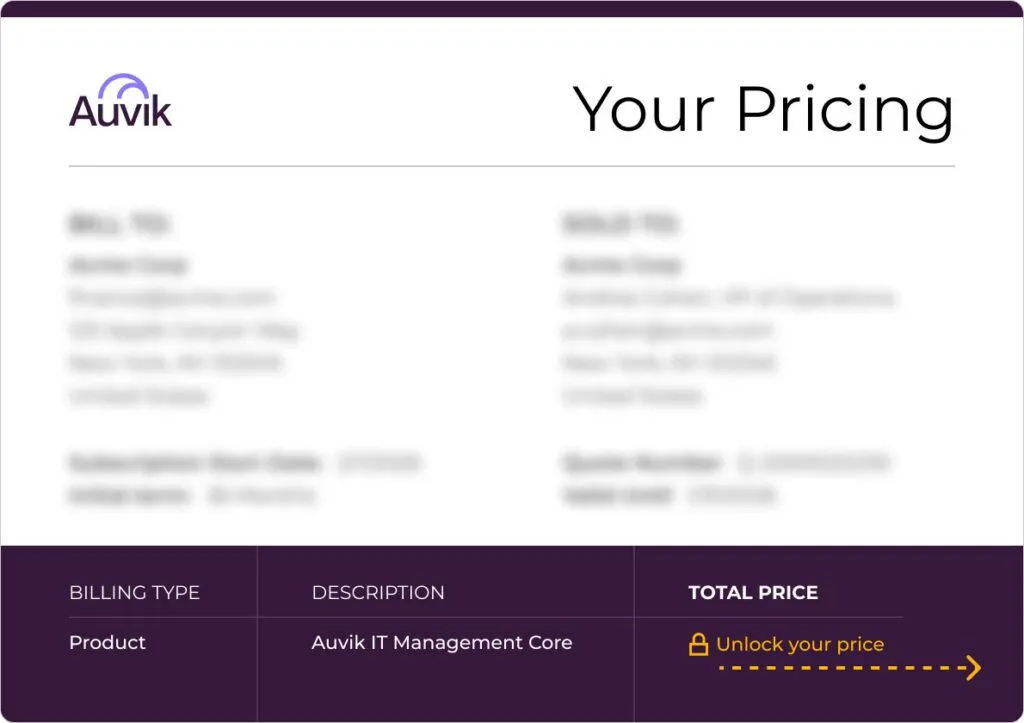
The pricing opacity is a legitimate friction point - it slows evaluation cycles and prevents MSPs from doing quick ROI math before talking to a sales rep. That said, per-device pricing does align well with how MSPs bill their own clients, so the model itself isn't the problem.
What Auvik does really well
A few things stand out after digging in:
Deployment speed is not marketing. The 15-minute onboarding claim is confirmed by enough independent sources that it's credible. Chris Swecker, Manager of Tech Assistant Center, called it "remarkably smooth, standing out as one of the easiest we've ever experienced with any new tool" (via PeerSpot). For an MSP adding clients, that matters.
The topology map actually works. Real-time, auto-updating, multi-layer. Tim King, Senior System Engineer, rated Auvik 10 out of 10 for ease of monitoring: "I've seen a few other network mapping tools, and they never seem to work out well. It's miles ahead of its competitors." When you're troubleshooting a network issue at 11pm, a map that actually reflects the current state of the network - not what someone documented six months ago - is the difference between a 20-minute fix and a two-hour one.
80,000+ IT professionals trust it for a reason. The user base is large enough that the community signal is meaningful. Anthony Levin, CTO at Fraxion, summarized the ROI cleanly: "It has easily saved us hundreds of hours… tasks that would take hours now take minutes."
The AI additions in 2026 are practical, not gimmicky. Root cause analysis, command guidance, and hardware lifecycle intelligence are the kind of AI that actually makes a tech's job easier - not a chatbot bolted onto a dashboard.
Where Auvik falls short
Pricing transparency. Requiring a sales call to get a number is friction that competitors don't all share. It's manageable once you're in the evaluation, but it makes quick side-by-side comparisons harder.
No workflow automation or ticketing. Auvik tells you something is wrong. It doesn't fix the ticket. There's no built-in ability to, say, automatically reset a device, run a remediation script, or close the ticket in your PSA once the alert resolves. The PSA integrations create tickets; they don't resolve them.
No mobile app. No public-facing mobile management capability is mentioned anywhere in Auvik's marketing or docs. For MSPs expecting to triage alerts from their phone after hours, that's a gap.
Advanced reporting is limited. Auvik's dashboards are strong for real-time visibility, but custom report generation and BI integration aren't prominently featured. If your clients expect detailed monthly network reports, you may find yourself exporting data manually.
Where network monitoring ends - and the rest of your work begins
This is the thing Auvik won't tell you: network visibility is only one layer of what MSPs deal with.
Auvik fires an alert. A ticket gets created in ConnectWise. A tech opens it. The alert says a user account is locked, or a password reset is needed, or an endpoint needs a service restarted. Auvik did its job. But now your tech has to go do the actual resolution work - and that's where most L1/L2 hours are actually spent.

The tools that handle this layer - actual ticket resolution, not just visibility - are a separate category from network monitoring. Auvik belongs in your MSP stack. It just doesn't replace the need to have something that handles the work the tickets represent.
Who should use Auvik
Use Auvik if:
- You're an MSP managing 5+ client networks and currently doing network documentation manually or with legacy tools
- You want proactive alerting before clients call you
- You need a multi-tenant architecture with per-client isolation
- You're replacing something like SolarWinds, Nagios, or Zabbix that requires more setup than it's worth
- Your techs need to be able to troubleshoot without always escalating to a senior engineer
Think twice if:
- You're a small shop with 1-2 clients - the per-device model may not pencil out at low volume
- You need published pricing to run an internal budget approval process
- You're expecting Auvik to handle remediation or ticket resolution, not just detection
Try Rallied
Rallied is the AI technician that handles the ticket resolution side - the work that starts where Auvik's alerts stop. It connects to your PSA (ConnectWise, Autotask, HaloPSA, SuperOps), reads incoming tickets, and autonomously resolves the L1 and L2 work: password resets, account unlocks, onboarding, offboarding, access provisioning, endpoint remediation. Rallied is $150 a month for 2,000 credits, about 700 tickets in a typical month. Most MSPs go live in under a week, with no workflow build phase required.

The two tools are complementary, not competitive. Auvik handles network visibility. Rallied handles the ticket queue those alerts generate. Running both means your network issues get caught and resolved - not just flagged.
For the wider picture, read Best MSP Software in 2026.
Frequently Asked Questions
Is Auvik worth it for MSPs?
For most MSPs managing more than a handful of client networks, yes. Auvik's automated discovery, real-time topology mapping, and 64+ preconfigured alerts genuinely cut the time it takes to identify and troubleshoot network issues. The 15-minute client onboarding claim holds up in practice. If you're comparing it to manual monitoring or legacy tools like SolarWinds, the ROI is hard to argue with. More on Auvik for MSPs.
How much does Auvik cost?
Auvik doesn't publish pricing. They use a per-device model - billing is based on the number of 'billable' devices you manage (routers, switches, firewalls, servers, edge devices). Wireless access points, printers, UPS, and NAS are monitored for free. Volume discounts are available. To get a number, you fill out their pricing form and talk to sales. It's a friction point, but not unusual for MSP-grade tooling. Request a quote from Auvik.
What devices does Auvik monitor for free?
Auvik monitors wireless access points, printers, uninterruptible power supplies (UPS), and network-attached storage (NAS) at no charge - these don't count toward your billable device total. This matters for MSPs with clients that have lots of peripherals. Only routers, switches, firewalls, servers, and edge devices are billable. See the full device breakdown.
How long does it take to set up Auvik?
The 15-minute deployment claim is real, according to multiple MSP users. You install a lightweight collector on the client network - available as an OVA, Docker container, Windows service, or bash script - and within 30 minutes you have a full device inventory and live topology map. Configurations you set during trial carry over if you convert, so there's no re-work. See how Auvik deployment works.
How does Auvik compare to SolarWinds for MSPs?
Auvik wins on deployment speed, ease of use, and MSP-specific architecture. SolarWinds has more depth for complex enterprise environments but is significantly heavier to configure and maintain. Most MSP communities view Auvik as the right fit for MSP-sized operations (tens to hundreds of client networks), while SolarWinds makes more sense for large enterprise IT teams with dedicated NOC staff. Auvik is also cloud-native SaaS; SolarWinds offers both on-prem and cloud options.
